Upscale Pet Photos for Prints and Portraits
The perfect photo of your dog is usually a phone snapshot taken in a hurry: slightly soft, cropped from a wider frame, and nowhere near the resolution a canvas print or a memorial portrait needs. The Image Upscaler is well suited to animals because fur is a texture the model has seen millions of times; it synthesises believable individual hairs instead of smearing the coat into a blur, sharpens the catchlights in the eyes, and keeps whiskers as thin lines. Face enhancement is designed for human faces and should stay off for pets, otherwise the model may try to humanise the muzzle. Use 4x for a 30 by 40 cm canvas from a typical 1000-pixel crop and 8x for larger wall art; 2x is enough for a phone wallpaper or a printed card. Pet photographers use it to rescue an otherwise perfect frame that missed focus slightly, memorial print shops use it on old photos of pets that have passed, and owners use it for custom mugs, blankets and stickers after cutting out the background. Free preview shows a crop of the fur before you commit credits.
- Believable individual hairs instead of smeared fur
- Sharp eye catchlights and thin whiskers
- Keep face enhancement off for animals
- 4x for a 30 x 40 cm canvas, 8x for large wall art
- No signup required
from 1 credits · Uploads are deleted automatically after 24 hours.
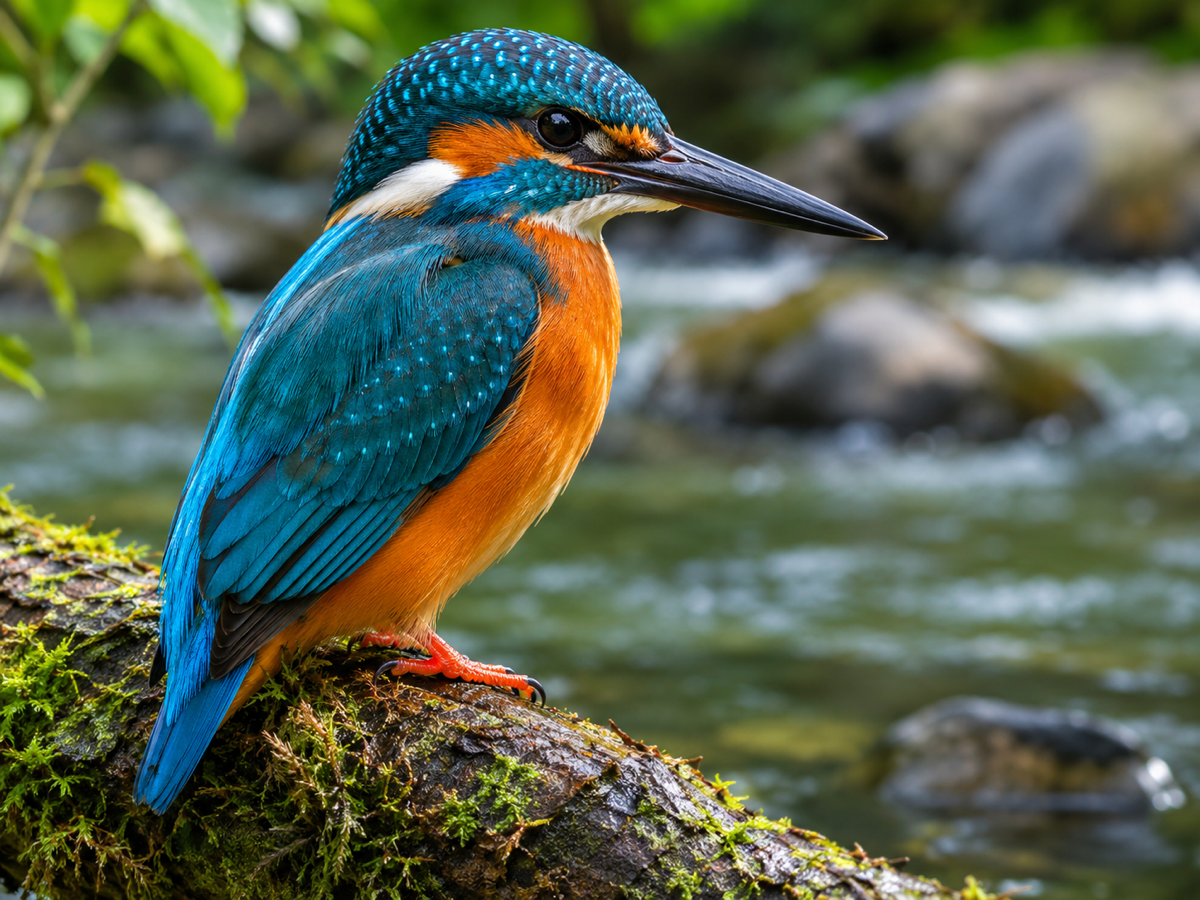
Other variants
Modes
How it works
Step 1
Upload a small image
JPG, PNG, WebP or HEIC. Even 200 px thumbnails work.
Step 2
Pick a scale
Choose 2x, 4x or 8x and optionally turn on face enhancement for portraits.
Step 3
Compare and download
Use the before/after slider, then download PNG or JPG.
Works great for
Portraits
Restore skin texture and eyes without the plastic look.
Product photos
Meet Amazon's 1600 px zoom requirement from any source.
Logos & graphics
Crisp edges from tiny web logos.
Pets & animals
Fur detail for prints and wall art.
Cars
Sharp reflections for dealer listings.
Food
Menu-ready detail from phone snaps.
Why youcut.ai
Generative detail
Not just interpolation: the model reconstructs texture, edges and fine lines.
Face enhancement
A dedicated face model restores eyes, skin and hair on portraits.
Up to 8K output
Large-format prints, posters and 4K/8K wallpapers.
Artifact removal
JPEG blocks and ringing are cleaned up during upscaling.
Batch and API
Upscale whole folders in the batch tool or via the API at $0.02 per image.
Free preview
Check quality on a preview before spending credits.
youcut.ai vs Topaz Gigapixel
| Feature | youcut.ai | Topaz Gigapixel |
|---|---|---|
| Price | Free preview, from $0.03/image | One-time desktop license |
| Install required | — | ✓ |
| GPU required | — | ✓ |
| Max scale | 8x | 6x |
| Works on mobile | ✓ | — |
Loved by creators and teams
“Customers bring 800 px photos and want canvases. This saves the order.”
“Supplier images finally pass the zoom requirement.”
“Face enhance is subtle, not the doll look I feared.”
“8x on pixel concept art gives me clean references.”
“Old MLS photos look new on our flyers.”
“The API upscales user uploads before we print them.”
Frequently asked questions
Can it fix a slightly out-of-focus pet photo?+
Mild softness, yes; the model sharpens as it enlarges. Strong motion blur cannot be fully recovered.
What resolution do I need for a canvas print?+
Canvas is forgiving: 100 to 150 dpi is enough, so a 40 x 60 cm print needs roughly 2400 x 3600 pixels.
Does it work on black cats and dark fur?+
Yes. Dark coats gain texture without being brightened; run the Photo Enhancer first if the original is underexposed.
Ready to try Image Upscaler?
Free preview in seconds. HD download from 1 credits.
Try it freePowered by: Clarity Upscaler · AuraSR v2 · CodeFormer